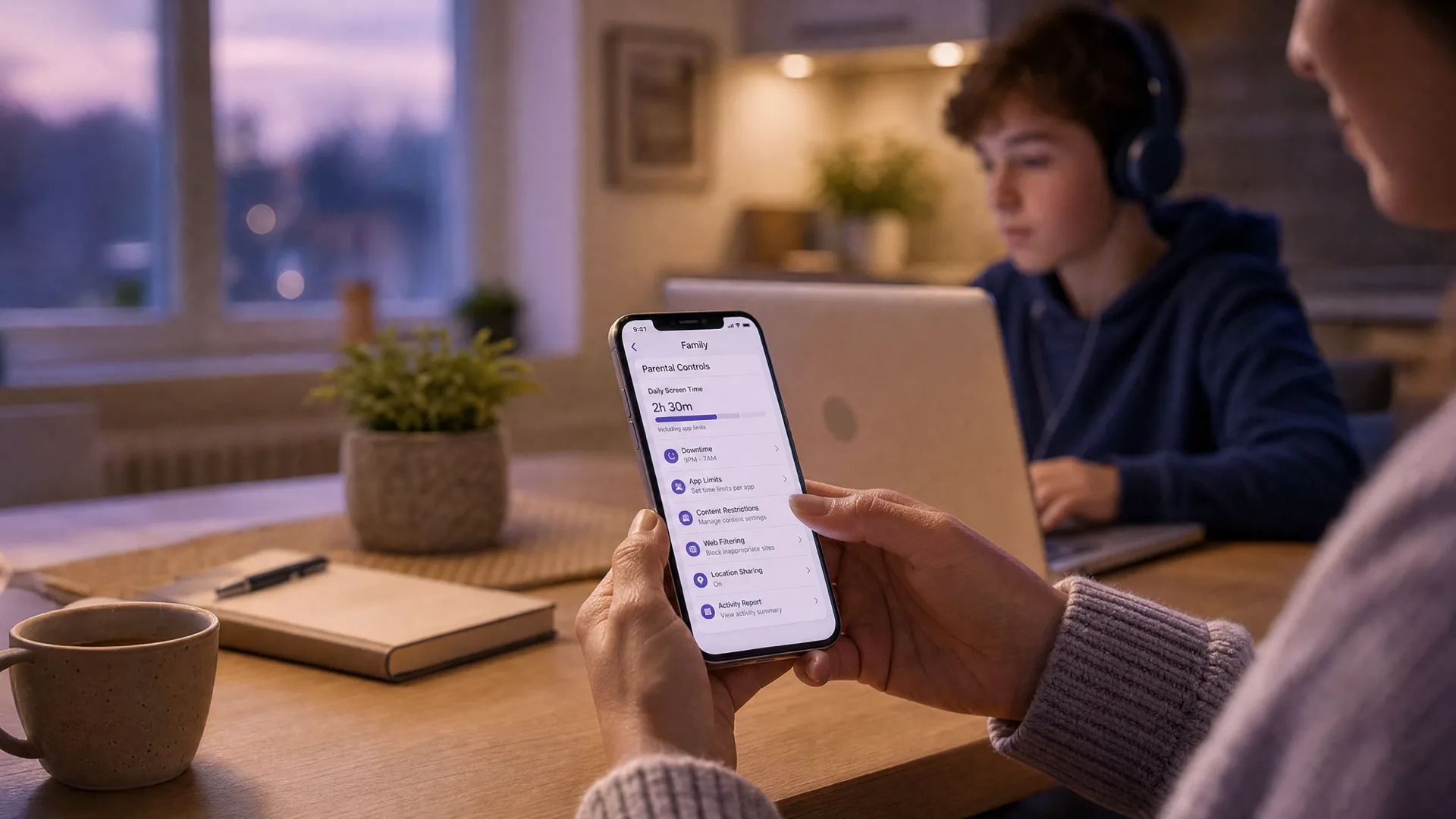
Quick answer: GTA 6 is rated M (17+), so first decide if your child should play it at all. If they will, set console controls before launch: on PS5 use Settings, then Family and Parental Controls; on Xbox use the Xbox Family Settings app. Set the age level to your child's real age so the 17+ game is blocked by default, set a spending limit on microtransactions, and restrict GTA Online voice and text chat to friends only or off.
Grand Theft Auto VI launches November 19, 2026 on PS5 and Xbox Series X/S, and it is the most anticipated game release in history. Pre-orders opened on June 25, 2026, which means the questions in your house probably already started. "Everyone's getting it." "Can I play it on launch day?"
This guide is for the moment after you've decided your child will (or might) play. It is the how-to: a five-minute setup checklist, then exact step-by-step instructions for PS5 and Xbox to restrict the mature content, the spending, and the chat. It is also honest about what console controls cannot do, because that gap is where most parents get caught out.
If you are still deciding whether to allow it at all, read whether GTA 6 is safe for children first for the full rating breakdown. This post assumes the decision is leaning yes and you want it locked down properly.
Do this first: 5-minute GTA 6 safety checklist
Before launch day, not after. Set this up while it is calm, not while a download bar is sitting at 90 percent and a child is hovering.
Confirm the console is in a family group with your child on a child or teen account, not an adult account on a shared login.
Set the age rating limit to your child's real age so GTA 6 (rated 17+ by the ESRB, MA15+ in Australia) is blocked by default, or consciously allow it as a per-game exception.
Set a spending limit or require purchase approval, so GTA Online microtransactions can't run up a bill.
Restrict communication to friends only, or turn voice and text chat off, especially for the online mode.
Have the conversation. Controls handle the console. They do not handle what a stranger says. A two-minute talk does more than any setting (scripts are below).
That is the whole job in outline. The rest of this guide is the detail for each platform, plus the part console controls miss.
What you're actually controlling: the game vs the online mode
GTA 6 is really two things, and they carry different risks.
The single-player story is the part the M rating describes: graphic violence, strong language, sexual themes and nudity, drug and alcohol use, and a story where crime is rewarded. It is adult content, but it is fixed and offline. You can preview it, you can play it yourself first, and content limits handle it cleanly.
GTA Online is the open multiplayer mode, and it works very differently. It is largely unmoderated, with live voice and text chat with strangers, player-versus-player combat, and microtransactions for in-game money and items. The ESRB M rating for the base game does not cover online interactions. The ESRB itself notes that online play is not rated, because no one can predict what other players will say or do.
So your settings have two targets: lock the mature content (the game), and lock the open chat and spending (the online mode). The checklist above does both. Here is how, per console.
Step-by-step: GTA 6 parental controls on PS5
PS5 controls live under Settings, then Family and Parental Controls, and you can also manage everything from the PlayStation App on your phone, which is the easier route for most parents.
Set up the family and the child account
On the PS5, go to Settings, then Family and Parental Controls, then Family Management.
Sign in as the family manager (an adult account). If your child has been playing on your account, create a separate child account for them now. This is what makes the rest of the controls stick.
Select your child from the family list to open their restriction settings.
Block or allow the mature content
Open Restrictions, then Age Level for Games.
Set the age level to your child's real age. GTA 6 is rated for 17 and up, so it sits above any younger age level and will then require your approval to launch. The exact rating label you see (an ESRB, PEGI, or Australian Classification Board icon) depends on your region, but the numeric age selector works the same way everywhere.
If you are choosing to allow GTA 6 as an exception, you can approve it individually while keeping the general limit in place, so other 18-rated games stay blocked.
Stop the microtransactions
Still in your child's settings, open Monthly Spending Limit (under the PlayStation Network / purchases section).
Set the limit to $0 to block all spending, or a small fixed amount you are comfortable with.
This blocks GTA Online's in-game currency and item purchases. Without it, microtransactions are one tap and a saved card away.
Restrict voice and text chat
In the child's settings, open Communication and User-Generated Content.
Set messaging and chat to friends only or not allowed. For GTA Online specifically, "not allowed" or friends-only is the safe choice, because public lobbies put your child in voice range of adult strangers.
Review and confirm. You can also do all of this from the PlayStation App: open it, go to your family group, pick your child, and the same controls are there.
Step-by-step: GTA 6 parental controls on Xbox
On Xbox the controls live in the Xbox Family Settings app on your phone (iOS or Android). It is the cleaner way to manage everything, and changes sync to the console.
Set up the family group
Install the Xbox Family Settings app and sign in with your adult Microsoft account.
Add your child to the family group as a child member. If they have been using an adult profile, this is the step that gives the controls something to act on.
Tap your child's profile to open their settings.
Block or allow the mature content
Open Content and apps (or the age-rating filter for that profile).
Set the maturity level to your child's real age. GTA 6 is rated for 17 and up, so it lands above any younger level and will need your approval before it launches.
If you are allowing GTA 6 specifically, approve it as a one-off when prompted, or use the request system so your child asks and you say yes once.
Stop the microtransactions
In the Family Settings app, open Spending (or Ask to Buy).
Turn on Ask to Buy so every purchase needs your approval, or set a fixed spending limit.
This is what stands between a curious child and GTA Online's shark-card-style in-game purchases. Default it on.
Restrict voice and text chat
Open the child's Privacy and online safety settings (these mirror the Xbox web privacy settings).
Set "You can communicate with voice and text" to friends only, or block it for non-friends.
Set "You can join multiplayer games" as you see fit. Allowing multiplayer but limiting communication to friends is a common middle ground for older teens.
What console controls can't do
This is the part that surprises parents, so it is worth being blunt. Console parental controls are good at who, and they do nothing about what.
You can decide who is allowed to talk to your child: friends only, no one, or everyone. But once a conversation is allowed, the console does not filter the words inside it, and it keeps no transcript. There is no log to review, no alert if something concerning is said, no record of who said what. If you set GTA Online to friends-only and your child later adds someone they met in a public lobby as a friend, that person is now inside the allowed circle and you would never know from the settings.
That gap matters because GTA Online's chat is open and unmoderated by design. The risks are not hypothetical. Thorn's 2024 research found that one in three boys aged 9 to 12 reported having an online sexual interaction with someone they believed to be an adult. Separately, the same report found that roughly two in three minors who are contacted by a predator are asked to move to a private app (Thorn, 2024). NCMEC's CyberTipline received 1.4 million online enticement reports in 2025, up 158% from 2024 (NCMEC, 2025). Voice and text with strangers is exactly the surface those numbers describe, and a rating sticker on the box does nothing to change it. For the deeper risk picture, it helps to know the warning signs of grooming in online gaming before your child ever loads a lobby.
So the honest model is: console controls plus conversation. Settings choose the who; you and your child handle the what. For an off-platform pattern to watch, "let's talk on Discord instead" is the classic move, which is why Discord parental controls are worth setting too if your child uses it.
If you want the full walkthrough for Xbox voice and party settings beyond GTA, our Xbox voice chat parental controls guide covers it step by step.
Age-specific recommendations
Under 13
GTA 6 is rated for 17+. For most under-13s, the honest answer is not yet, and the cleanest control is the age limit blocking it.
If pressure is high, the single-player story (with you watching) is far more controllable than the online mode. Keep GTA Online chat off entirely.
Spending limit at $0. No exceptions at this age.
Ages 13 to 15
This is the MA15+ band in Australia, and the most common pressure point. If you allow it, treat the online mode as the thing to manage, not the game.
Set GTA Online voice and text to friends only, never everyone. Review the friends list and ask who each person is.
Spending limit on or Ask to Buy on. Have the "move to Discord is a red flag" conversation now.
Ages 16 and 17
Closer to the intended audience, but still under the 17+ line and still in open lobbies with adults.
Communication can be friends-only with multiplayer allowed. The bigger talk here is about what they would do if a stranger got personal fast or pushed to move private.
Keep a spending limit on; GTA Online microtransactions are designed to be easy to spend on.
Where a tool like Halo fits (and where it doesn't)
Console parental controls block and restrict. They do not tell you what was actually said. A category of tools tries to fill that gap by processing game voice chat and alerting a parent when something genuinely dangerous comes up. Here is the honest picture, including where Halo fits and where it plainly does not.
Tool | What it does | Covers GTA on console? | Limitation |
|---|---|---|---|
PS5 / Xbox parental controls | Block content, cap spending, restrict who can chat | Yes (block/restrict only) | No monitoring of what's said. No transcript. Who, not what. |
Aura / Kidas | Monitors voice and text in PC games | No (PC games only) | Windows only. No console. Cloud processing. |
Halo | Sends you an alert when it detects grooming, bullying, or threats in the game. Monitors the voice chat and the text chat. | No (no console voice) | iPhone, iPad, Mac, Windows (voice and text in the game; also Discord voice on Mac and Windows). No Android yet. |
To be clear: Halo does not monitor PlayStation or Xbox voice chat. Consoles are closed systems and there is no way for a third-party app to listen to their voice channels. For GTA 6 on a console, the real answer is the settings in this guide plus the conversation, not a monitoring app.
Where Halo helps is the rest of your child's gaming. It sends you an alert when it detects grooming, bullying, or threats, not general chat or swearing. Their voice never leaves their device. Only the words are analysed, then discarded. Never stored. You get a summary, not a recording. It covers voice and text chat in the game on iPhone, iPad, Mac, and Windows, and picks up Discord voice on Mac and Windows. It is one layer, not a guarantee that catches everything. If your child's world is console GTA plus a phone full of Roblox and a Discord habit, console controls cover the GTA part and Halo covers voice and text chat on the parts the console can't see. For the bigger picture across every platform, the voice chat safety guide ties it together.
What to say to your child about GTA 6
If you're saying no (or not yet)
"It's rated 17 and over for a reason, the violence, the drugs, the sex stuff. It's not about you being too young to handle it, it's that it's made for adults."
"When you're older we can revisit it. Right now the answer is not yet, and I'm not going to pretend it's about anything other than the rating."
If you're allowing it (with limits)
"You can play the story. The online part with strangers is the bit I want us to set up together, because that's where the risk actually is."
"If anyone in a lobby asks you to add them, move to Discord, or talk privately, that's a flag. Tell me. You won't be in trouble."
"I've put a spending limit on. That's not me not trusting you, it's that the game is built to get you to spend, and I'd rather you not have to fight that."
Frequently asked questions
What age rating is GTA 6 and is it okay for my kid?
GTA 6 is rated M (Mature 17+) by the ESRB and MA15+ in Australia. It contains graphic violence, strong language, sexual themes, nudity, and drug use, and it rewards crime. That rating is a useful floor, not a guarantee. Most under-15s are not the intended audience, and the online mode adds risks the rating does not cover.
How do I set parental controls for GTA 6 on PS5?
On PS5, go to Settings, then Family and Parental Controls, then Family Management, and pick your child. Set Age Level for Games to your child's real age so the 17+ title is blocked by default, set a monthly spending limit or require approval for purchases, and restrict communication to friends only or off. You can also manage all of this from the PlayStation App on your phone.
How do I set parental controls for GTA 6 on Xbox?
Install the Xbox Family Settings app on your phone, add your child to your family group, and select their profile. Set content limits to block Mature titles, turn on Ask to Buy or a spending limit for microtransactions, and set communication and multiplayer to friends only or off. Changes sync to the console.
Can console parental controls block GTA Online voice chat?
They can restrict who is allowed to talk to your child (friends only, or off entirely), but they cannot filter what gets said inside an allowed conversation, and they keep no transcript. Console controls choose who, not what. For games on an iPhone or iPad, a tool like Halo sends you an alert when it detects grooming, bullying, or threats in voice or text chat, but it cannot reach console voice.
Should I let my 13-year-old play GTA 6?
That is your call, but GTA 6 is rated for 17+ and the game's themes are adult. If you do allow it, keep GTA Online's open voice and text chat with strangers off or friends-only, set a spending limit, and play or watch alongside them at first. The single-player story is the more controllable part; the online mode is where the unmoderated risk lives.
Do PS5 and Xbox parental controls stop in-game purchases?
Yes. Both let you set a monthly spending limit or require parent approval for every purchase. On PS5 this is the spending limit under Family Management, on Xbox it is Ask to Buy or a set limit in the Family Settings app. This matters because GTA Online sells in-game currency and items through microtransactions.
Sources
[Rockstar Newswire] "Grand Theft Auto VI: launch date and pre-order details." Pre-orders opened June 25, 2026; release November 19, 2026; PS5 and Xbox Series X/S. rockstargames.com/newswire
[ESRB] "Grand Theft Auto VI rating: Mature 17+." Content descriptors and note that online interactions are not rated. esrb.org
[Australian Classification Board] "Grand Theft Auto VI classified MA15+." Citing strong sex scenes and drug use, 2023. classification.gov.au
[Common Sense Media] "Grand Theft Auto VI parent review and age guidance." commonsensemedia.org
[PlayStation Support] "Family management and parental controls on PS5." playstation.com/support
[Xbox Support] "Xbox Family Settings app: content, spending, and communication limits." support.xbox.com
[Thorn] "Youth Perspectives on Online Safety, 2024." One in three boys 9-12 reported having an online sexual interaction; ~2 in 3 minors asked to move to a private app. thorn.org
[NCMEC] "The Work Never Stops: A First Look at NCMEC's 2025 Data." 1.4 million online enticement reports, up 158% from 2024. missingkids.org
This guide is updated as GTA 6 launches and as PS5 and Xbox change their family settings. Last reviewed September 2026.