Quick answer: League of Legends parental controls live in the Riot Parent Portal at parents.riotgames.com. In the US, log into your child's Riot account at account.riotgames.com, use the under-18 option to enter your email as the parent, and verify your identity. You can then turn text and voice chat off or friends-only, review the friends list, see which adult accounts have messaged your child, restrict games, or pause the account — one set of controls across League of Legends, Valorant, and Teamfight Tactics on PC. If chat has suddenly been disabled on your player's account, the fixes are below too.
Riot launched this control suite on July 15, 2026, alongside League of Legends patch 26.14. It is optional and US-only for now; outside the US, the portal exists through the parental-consent flows required by law in places like the EU and Brazil. In the US (Louisiana excepted), the settings only do their job once you turn them on: Riot is explicit that a minor's account has no restrictions until a parent activates them.
This guide covers the setup step by step, what each toggle does for League specifically, how to fix or lift a chat block, and the one thing the portal genuinely cannot do. For the wider picture across every game your child plays, start with our voice chat safety guide.
Which games the Riot Parent Portal covers
The Parent Portal is a web dashboard tied to your email, not an app you install on your child's device. The controls are account-level: one set of settings on your child's Riot account applies across League of Legends, Valorant, and Teamfight Tactics on PC. Riot says TFT Mobile is targeted for early 2027, and its other titles — Wild Rift, 2XKO, Legends of Runeterra — are not covered yet.
Two things worth knowing before you start:
In the US, nothing is on by default. Even an account created as a minor has no blockers until a parent activates the portal controls. The exception is Louisiana, where parental approval is mandatory.
In regulated regions, the portal is mandatory rather than optional. New accounts identified as minors must add a parent's email to play at all, and the account stays frozen until the parent verifies and consents. The age of eligibility defaults to 16 across the EU and is 18 in Brazil under the ECA Digital Act.
Set up League of Legends parental controls in 10 minutes
In the United States (opt-in, launched July 15, 2026)
Log into your child's Riot account at account.riotgames.com. This first step happens from their account, so sit down and do it together.
Under the account management tab, use the under-18 option to turn it into a parent-managed account by entering your email.
Open the email Riot sends and verify that you are the parent. Identity verification is handled by Riot's partner, Kids Web Services.
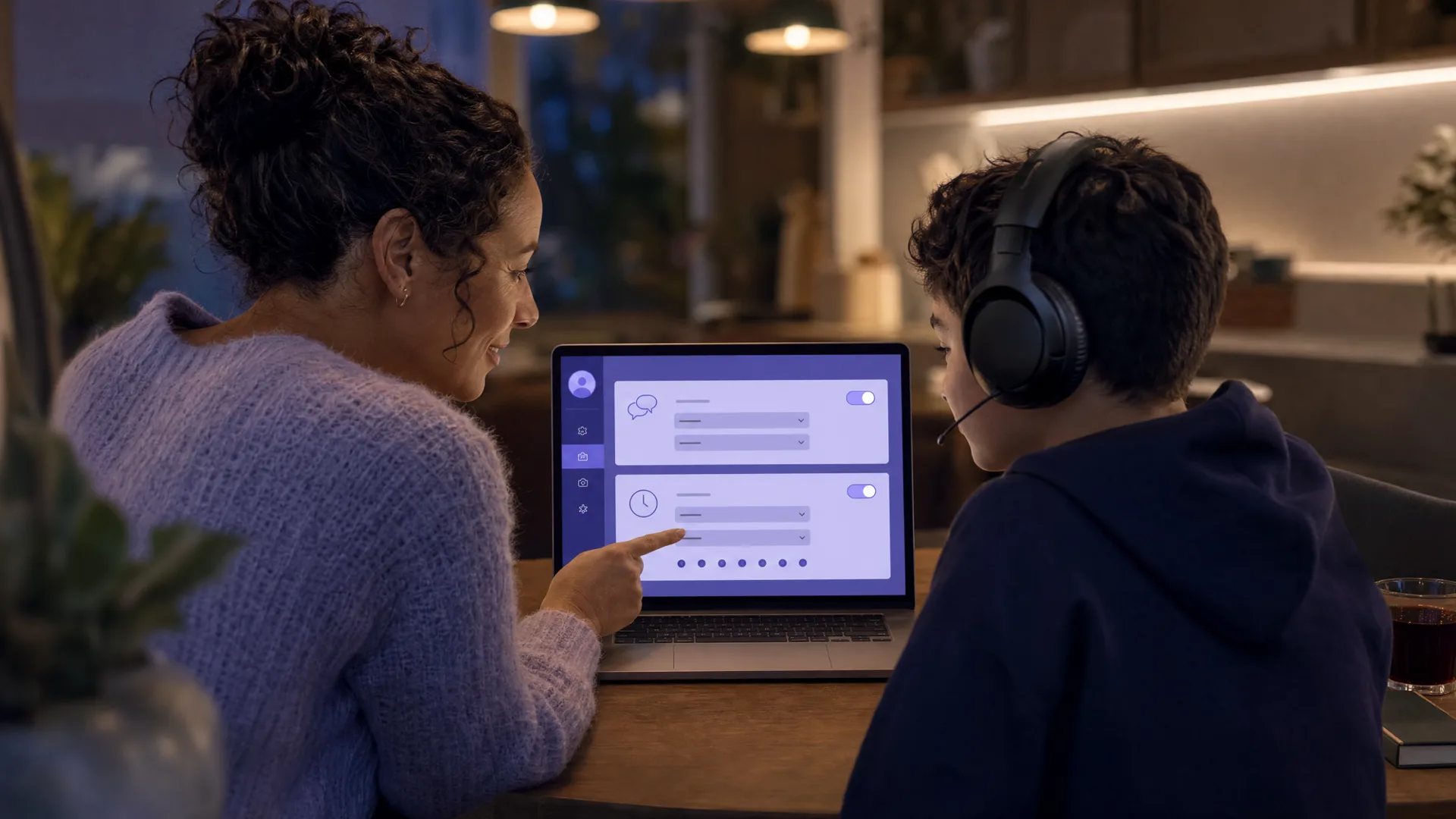
Sign in at parents.riotgames.com with your own email — not a Riot game account — and set text and voice chat to off or friends-only.
Review the friends list, check the message history of adult accounts, and decide whether to block new friend requests.
That covers the essentials for League, Valorant, and TFT in one pass, and you can return to adjust any setting whenever you like.
In the EU, Brazil, and other regulated regions (automatic)
When your child creates an account and is identified as a minor, Riot requires a parent email before they can play.
You receive an email taking you to the portal, where you verify your identity and grant permission. Until you do, the account stays frozen.
After consent, you manage the same controls from parents.riotgames.com, plus the playtime and purchase caps that are not available in the US version.
If the parent email went to an address you no longer use, changing it requires a Player Support ticket sent from the originally verified address; Riot's parental approval information page for parents has the contact route.
What you can control from the portal
Comms settings: enable or disable text and voice chat in-game, or limit chat to friends only. One toggle covers League, Valorant, and TFT PC.
Friends list: view your child's current friends and remove any account.
Friend requests: block sending or accepting new requests.
Message history: see the list of adult (18+) accounts that have directly messaged your child in the last 30 days. You see who, not what was said.
Game access: manage which Riot games your child can play, subject to your country's age ratings.
Take a Break: temporarily disable the account entirely. Reversible whenever you choose.
Account management: change the Riot ID or password, manage third-party account links, and enroll multi-factor authentication.
Playtime and purchase limits: the portal documents a monthly PC playtime cap (auto-logout when reached) and a hard spending cap with a 30-day purchase view, but Riot marks both as not applying to the US; the playtime cap only counts PC play, and the spending cap only covers Riot's own store, not App Store, Google Play, or console purchases. For those jobs, use Screen Time, Family Link, or your console's family settings.
What you cannot do from the portal: read chat history or view gameplay activity. Riot confirms parents can't see either in the portal, though the data can be requested through a Player Support ticket. And you don't log into your child's account day-to-day; after the one-time setup, everything happens from your own dashboard.

Chat disabled in League with a message about a parent or guardian?
When chat suddenly goes quiet — or the account itself gets locked — Riot's parental-control system is treating the account as a minor's. There are three common causes:
A parent turned chat off. On a parent-managed account, the portal's comms setting disables text and voice chat in-game across League, Valorant, and TFT PC. This is the control working as designed: the linked parent or guardian is the only person who can change it.
The birth-year bug. In the days after the July 15, 2026 rollout, a bug set some accounts' birth year to "0002," which disabled chat for adult players as if they were minors. Riot rolled out a date-of-birth fix and advised contacting Player Support if the problem persists.
The US parental-lock hiccup. Riot's support site posted a known issue (updated July 16, 2026) about US players being wrongly locked out of accounts by the parental-control release. Riot says it is resolved and that anyone still affected should log out and log back in.
If you are the parent and want chat back on
Sign in at parents.riotgames.com with the verified parent email.
Open your child's account and go to the comms settings.
Re-enable text chat or voice chat, or set chat to friends-only as a middle step. Changes apply across League, Valorant, and TFT on PC, and you can flip them back at any time.
If no parent ever set this up
Log out and log back in. This is Riot's own fix for the wrongly locked US accounts.
Check the date of birth on the account page at account.riotgames.com.
Contact Player Support if chat stays disabled, mentioning the parental-controls rollout and your correct birth date.
How to turn off or adjust parental controls in League of Legends
Everything is reversible from the parent's side, and none of it is reversible from the child's side. That is the design. To loosen or remove restrictions:
Sign in at parents.riotgames.com with the email you verified.
Chat: under comms settings, re-enable text and voice, or move from off to friends-only as a halfway step.
Games: under game access, restore any title you had restricted.
Whole account: if you used Take a Break to pause the account, switch it back on. It is designed to be temporary.
Linked email: to change the parent email itself, submit a Player Support ticket from the original address and select the account-recovery option.
Cases where controls cannot be removed:
By the child. Riot is explicit that once a parent is verified through Kids Web Services, the child has no way to remove parent permissions until they turn 18.
Before the age-up date, in consent-gated regions. If a parent never consents, the account stays frozen until the player reaches the age of eligibility (16 by default in the EU, 18 in Brazil), with items and progress preserved. Accounts automatically graduate to full permissions at 18.
Where regional law says no. Minimum-age rules cannot be bypassed with parental approval, and in Brazil minors cannot play games rated 18+ even with consent; Valorant is currently the only Riot title rated low enough there for some minors to play with permission.
Worth knowing: plenty of players search this exact question themselves. What they find is that changes go through the linked parent or guardian, and Riot's verification makes workarounds a dead end until 18. If yours comes asking, meeting them at friends-only chat is usually a better outcome than a standoff that nudges them toward a second account.
League of Legends chat: what your child can actually use
League's social surface looks different from Valorant's, and it is changing in 2026:
Text chat is the main channel: lobby chat, in-match team chat, and direct messages with friends. This is where "add me on Discord" style contact usually starts, so don't skip the text toggle because you already handled voice.
Voice chat has historically been party-only. Your child could only talk to a pre-made group they queued with, not random teammates.
Team Voice is coming, but delayed. Riot planned to launch team voice chat for League with Patch 26.20 in October 2026, starting with North America and Oceania, but pushed the date back to meet its quality bar. Only players at Honor level 3 or above will be able to speak; others can listen. Open-mic conversations with strangers are on the way for League the way they already exist in Valorant.
The portal's comms setting already covers both text and voice chat in-game, so a decision you make today carries over as League's voice features expand.
Valorant: what is different from League
Valorant already has everything League is just getting. Voice chat in Valorant is team-based and on by default: when your child queues into a match, they are in a live voice call with four teammates, who could be anyone. Unlike League, where team voice is rolling out gradually, Valorant has had open-mic team voice since launch.
The good news is that the same Riot Parent Portal controls cover both games. A comms setting you make at parents.riotgames.com applies across League, Valorant, and TFT on PC. If you set voice to friends-only for League, it is friends-only in Valorant too.
The main difference for parents: Valorant voice chat is more central to the game than League text chat. Competitive play relies on callouts, and children who play ranked will push hard to keep voice on. Friends-only is the workable compromise, keeping strangers out while preserving the team experience with people your child actually knows. For the full picture, see our Valorant parents guide.
If your child plays Marvel Rivals, which has no parental controls of its own, our Marvel Rivals parental controls guide covers what to set instead.
For Call of Duty, the parental controls work differently: two separate layers (Activision account and console family settings) instead of one portal. Our guide to whether Call of Duty is safe for children covers the age-by-age verdict.
The real risks the portal does not cover
Choosing who your child can talk to is not the same as knowing what is said. League of Legends and Valorant are both rated T for Teen (13+) by the ESRB, and their public chat has a well-earned reputation for profanity and hostility. Turning chat off protects the youngest players. For teens who keep it on, the content of those conversations is exactly what the portal cannot show you.
The bigger concern is contact and grooming. Predators go where children are, and popular team games with open comms are a known route. Grooming on gaming platforms often follows a documented pattern: friendly contact, trust building, then a push to move somewhere more private like Discord or a messaging app where there is no moderation. If you want to know what that looks like in practice, our guide to the warning signs of grooming in online gaming breaks down the red flags. The WeProtect Global Alliance's 2023 Global Threat Assessment found conversations with children on gaming platforms can escalate into high-risk grooming in as little as 19 seconds, with an average of about 45 minutes. Voice tends to feel personal even faster than text, so the same trust-building can move quickly there too.
The scale is real. Thorn's 2024 research found that one in three boys aged 9 to 12 reported an online sexual interaction (Thorn, 2024). NCMEC's CyberTipline received 1.4 million online enticement reports in 2025, up 158% from 2024 (NCMEC, 2025). Text monitoring alone misses the voice channel entirely, which is where a lot of this now happens. Our guide on why text monitoring misses voice grooming goes deeper on that gap.
For a wider look at what children face on the platform itself, our guide on whether Discord is safe for children covers the risks beyond gaming chat.
If your child also plays Roblox, the same visibility gap applies: the Roblox chat filter screens text before it reaches other players, but parents still cannot read what was said. Our guide on whether parents can see Roblox chat covers exactly what the platform shows you.
Age-specific guidance
Under 13
Both games are rated T for Teen (13+), and Riot requires children to meet their region's minimum age at account creation; parental approval cannot bypass it.
If a younger sibling plays on an older child's account, that account's chat settings apply, so set them to off.
Key risk: another child showing them how to work around restrictions or create a second account with a false birth date.
Ages 13 to 15
Voice and text chat: off or friends-only. Public lobbies mean strangers of any age can reach your child.
Check the message history regularly. A list of adult accounts that messaged your child in the last 30 days is a genuinely useful early-warning signal.
In the EU and Brazil, a minor's account needs your verified consent to play at all, so your approval is doing real work.
Ages 16 and up
Voice chat is a bigger part of team play at this age, so an outright block may not fit — friends-only is often the workable compromise.
Shift from blocking to a conversation about what to watch for, plus a tool like Halo that sends you an alert if grooming, bullying, or a threat shows up in the chat.
Skins and battle passes add up quietly; the portal's spending cap does not apply in the US, so control the payment method instead.
Where Halo fits, and its limits
The Riot Parent Portal handles who can talk to your child well. What it does not do — by Riot's own description — is let you see or hear what is actually said. That is a separate job, and the honest comparison below shows who covers what.
Tool | What it does for Riot games | Platform | Limitation |
|---|---|---|---|
Riot Parent Portal | Blocks or restricts text and voice chat; friends-list review; 18+ message history; game access; account pause | League, Valorant, TFT on PC (account-level) | No visibility into what is said; playtime and spending caps do not apply in the US |
Qustodio | App and screen time limits, web filtering | iOS, Android, Windows, Mac | No voice or in-game chat coverage |
Bark | Text and social alerts (child's side) | Android, iOS (limited) | No voice chat coverage on any platform |
Halo | Sends you an alert when it detects grooming, bullying, or threats in voice or text chat. Not general chat or swearing | iPhone, iPad, Mac, Windows (voice and text in the game; also Discord voice on Mac and Windows) | No Android yet; no console voice; their voice never leaves their device, only the words are analysed, then discarded; 7-day trial, US$99.99/yr (about US$8/mo billed annually) |
Bark's text alerts do not extend to voice chat in games like League or Valorant: see does Bark monitor game voice chat for a device-by-device breakdown.
Halo sends you an alert when it detects grooming, bullying, or threats in voice or text chat, like an adult pushing your child to move the conversation to another app, not general chat or swearing. Their voice never leaves their device. Only the words are analysed, then discarded. Never stored. You get a summary, not a recording. It is one layer, not a guarantee that catches everything. Kids play League and Valorant on a computer, so Halo's Windows and Mac coverage, where it can pick up voice from the game or a VoIP app like Discord running on that computer, is the relevant path here; on iPhone and iPad it covers voice and text chat in whichever game is on screen.
Be clear on the limits: no Android yet, and no console voice, so a child playing Valorant on a PlayStation falls outside its reach. It is a complement to the portal, not a replacement: the portal decides who can talk, and Halo adds a layer that sends you an alert if grooming, bullying, or a threat shows up in voice or text chat. For the wider Valorant picture, see our Valorant parents guide, and for the app children most often get lured to, our Discord parental controls guide.
What to say to your child
"I set up the Riot portal so we can manage chat together. It is not about spying on you, it is about the strangers."
"If someone in a match asks you to add them on Discord or talk somewhere private, tell me. Why would they want to leave the game?"
"If someone gets personal fast, asks where you live or what school you go to, or wants to move private, that is a pattern worth knowing."
"You will never be in trouble for telling me something felt off. That is the deal."
Frequently asked questions
Does the Riot Parent Portal cover League of Legends?
Yes. The Riot Parent Portal covers League of Legends, Valorant, and Teamfight Tactics on PC, and the controls are account-level, so one set of settings applies across all three games. Riot says TFT Mobile is targeted for early 2027. Wild Rift, 2XKO, and Legends of Runeterra are not covered yet.
How do I turn off parental controls in League of Legends?
The linked parent signs in at parents.riotgames.com with their verified email, then re-enables chat under the comms settings, restores titles under game access, or ends a Take a Break pause. Settings can be changed at any time. Players cannot remove a verified parent's controls themselves; accounts automatically receive full permissions when the player turns 18.
Why is chat disabled in League of Legends?
Either the linked parent turned chat off in the Riot Parent Portal, or the account was caught by a bug in the July 2026 US rollout that set some birth years to 0002 and treated adults as minors. Riot advises logging out and back in, checking the date of birth on the account page, then contacting Player Support if chat stays locked.
Can my child remove the parental controls themselves?
No. Riot states that once a parent is verified through its partner Kids Web Services, the child cannot remove parent permissions until they turn 18, at which point the account automatically graduates to full permissions. The realistic workaround is a brand-new account created with a false birth date, so an unfamiliar second account is the thing to watch for.
What is the Riot Parent Portal?
The Riot Parent Portal (parents.riotgames.com) is Riot Games' web dashboard for parents. After you verify your identity through Riot's partner Kids Web Services, you can manage your child's account across League of Legends, Valorant, and TFT on PC: turn text and voice chat off or friends-only, review the friends list, see which adult accounts messaged your child, restrict games, and pause the account.
How do I set up the Riot Parent Portal?
In the US, log into your child's Riot account at account.riotgames.com, open the account management tab, and use the under-18 option to convert it to a parent-managed account by entering your email. Verify your identity through the email Riot sends, then manage everything from parents.riotgames.com. In regions like the EU and Brazil, the flow starts automatically at account creation.
Can I see what my child says in League or Valorant voice chat?
No. The Riot Parent Portal controls who your child can talk to, not what is said. Riot confirms parents cannot view chat history or gameplay activity in the portal, though that data can be requested through Player Support. If you want a safety net for the voice channel itself, you need a separate tool like Halo that sends you an alert when it detects grooming, bullying, or threats.
Does the Riot Parent Portal set playtime and spending limits?
The portal documents a monthly PC playtime cap and hard spending limits with a 30-day purchase view, but Riot marks both as not applying to the US; the playtime cap counts PC play only, and the spending cap covers Riot's own store only. For those jobs, use device-level tools like Screen Time, Family Link, or your console's family settings, plus the app store your child buys through.
How do I change League of Legends parental controls?
Sign in at parents.riotgames.com with the email you verified during setup. From your dashboard you can change any setting at any time: re-enable or restrict text and voice chat, adjust friend request permissions, restore game access, or end a Take a Break pause. Only the verified parent can make changes. Your child cannot modify the controls until they turn 18.
Sources
[Riot Games] "New Parental Control Settings in the U.S." July 15, 2026. riotgames.com/en/news/parental-control-features
[Riot Games Support] "Riot Games Parent Portal." support.riotgames.com
[Riot Games Support] "Parents of Underage Players FAQ and Contact." support.riotgames.com
[Riot Games Support] "Parental Approval Information for Parents" and "Parental Approval Information for Players." support.riotgames.com
[Riot Games] "Parent Portal." parents.riotgames.com
[League of Legends] "Patch 26.14 Notes." leagueoflegends.com
[League of Legends] "/dev: Team Voice in League." leagueoflegends.com
[Out of Games] "Can't Talk in League of Legends? Riot's Parental Controls Might Think You're Born in the Year 2." July 2026. outof.games
[MassivelyOP] "Riot Games initiates age verification and age blocks for its titles in Brazil following new digital safety law." March 2026. massivelyop.com
[ESRB] "League of Legends" rating summary. esrb.org
[ESRB] "VALORANT" rating summary. esrb.org
[Riot Games / VALORANT] "VALORANT Systems Health Series - Voice and Chat Toxicity." playvalorant.com
[WeProtect Global Alliance] "Global Threat Assessment 2023." weprotect.org
[Thorn] "2024 Youth Perspectives on Online Safety." thorn.org
[NCMEC] "The Work Never Stops: A First Look at NCMEC's 2025 Data." 1.4 million online enticement reports, up 158% from 2024. missingkids.org
This guide is updated as Riot changes its parental controls. Last reviewed September 25, 2026.