Quick answer: Discord is not safe for children under 13. It is the minimum age, there is no ID check at signup, and most of the risks live in parts no setting can see. For teens 13 and older, it can be made reasonably safe with Family Center, locked DM settings, and honest conversations about voice and strangers. Here is the verdict for every age from 10 to 16.
Age | Verdict |
|---|---|
10 | No. Discord is for 13 and older. |
11 | No. Same boundary. If friends are asking, that is the conversation. |
12 | Not yet. One year from the minimum. Set expectations now. |
13 | With conditions. Family Center, locked DMs, friends list reviewed first. |
14 | With Family Center and check-ins. DMs and voice are still invisible. |
15 | With coaching. Shift from control to teaching them to spot risk. |
16 | With conversation. Keep Family Center linked. Make sure they know what sextortion looks like. |
Do this first: 5-minute Discord safety checklist
Confirm your child's age is entered correctly. Teen-default protections only apply if Discord thinks they are 13 to 17. A child who signed up with a fake adult birthday has those protections switched off.
Set up Family Center. On your device and theirs, open Settings, then Family Center, and link with the QR code. You get weekly activity summaries: servers, friends, call minutes.
Lock down who can DM them. In Settings, then Privacy and Safety, set direct messages from server members to filtered and limit friend requests to friends of friends.
Confirm the content filters are on. Sensitive media filters for images and video should be on by default for teen accounts. Check anyway.
Ask one question: "Are all your Discord friends people you actually know, or did some come from a game?" The answer tells you where to focus.
The full settings walkthrough lives in our Discord parental controls guide. Keep reading here for why each of these matters and the verdict at every age.
Is Discord safe for a 10 year old?
No. Discord is for users 13 and older, and a 10-year-old should not have an account.
There is no ID check at signup. A 10-year-old can type a fake birthday that makes them 18 and be through in seconds. If they do, Discord treats them as an adult. The teen-by-default protections, which are real, only apply to accounts Discord believes are 13 to 17. A child who lied their way to 18 has those protections switched off entirely.
The most common pressure at this age is friends at school saying "just make an account" to join a gaming server. If your child is hearing that, the conversation is about why not yet, not about which settings to change.
If they already have an account, check what birthday they entered. If it says 18 or older, the safety net is not there.
Is Discord safe for an 11 year old?
No. The boundary is 13, and 11 is not close enough to stretch it.
The risks are the same as at 10, with the added pressure that more classmates may be on Discord by now. The honest answer is that some of those classmates signed up with fake ages, and that is not a reason to follow.
This is the age where the game-to-Discord pipeline starts. A child meets someone in Roblox or Fortnite and hears "add me on Discord." That phrase is one of the clearest grooming handoff signals in online gaming (Thorn, 2024). Two in three children have been asked by someone they met online to move from a public chat to a private conversation on another platform, and 86 percent of children on gaming platforms have interacted with someone they do not know offline (Thorn, 2022).
If your child says a friend asked them to join Discord, ask who, and whether they know the person from school or only from a game. For the specific warning signs that matter here, see our guide to grooming warning signs in gaming.
Is Discord safe for a 12 year old?
Not yet. One year from the minimum. Use this time to set expectations together.
A 12-year-old is old enough to understand what Discord is and how it works before the account exists. Walk through the platform together on your device. Show them what a server looks like, what a DM is, and why voice calls are different from text. If they understand the structure before they sign up, they start from a stronger position.
The specific risk at 12 is premature signup with a fake birthday. A child who registers as 18 today loses every teen protection from day one, and you may not know until much later. If you discover an existing account, check the age and either correct it or remove it and plan for 13.
For the details on how Family Center works so you can set expectations about what you will and will not see, read our Discord Family Center guide.
Is Discord safe for a 13 year old?
With conditions. This is the official minimum. Set up Family Center, lock down DMs, and review the friends list before handing it over.
At 13, the teen-by-default protections are working as intended. Since March 2026 Discord treats every account as a teen unless the user actively verifies they are 18 or older. That means sensitive content is filtered, DMs from strangers go to a request inbox, and friend requests from unknown users trigger warning prompts. These are genuine improvements.
Family Center gives you a weekly summary of who they are talking to and how long. It deliberately does not show what was said. That is by design, not a gap Discord forgot about.
The main risk at 13 is private DMs with people met in gaming servers. Most grooming on Discord starts in a public server where a stranger makes casual contact, then sends a friend request. Once your child accepts, the conversation moves into private DMs where no moderator and no parental tool can see it. Thorn's 2024 study found that 19 percent of Discord's minor users reported an online sexual interaction on the platform, the highest rate among major gaming-adjacent platforms after Telegram.
Set up Family Center on day one. Set DMs to friends only. Review the friends list together: "Do you know every person here from school or real life?" For the full settings walkthrough, see our Discord parental controls guide.
Is Discord safe for a 14 year old?
With Family Center and regular check-ins. More independence is reasonable, but DMs and voice calls are still invisible to every parental tool.
The structural protections are in place and your child has a year of experience with the platform. The risks shift from accidental exposure to targeted contact and trust manipulation.
Voice calls are where Discord is most opaque. There is no chat log to scroll, no recording to review, and no text for a monitoring app to scan. A private voice call between your child and someone they met in a gaming server is completely invisible to you, to Discord's moderators, and to Bark or BrightCanary. Voice also builds trust and familiarity faster than text, which is exactly why groomers push to get on a call. Our guide to why text monitoring misses voice grooming covers this gap in detail.
Keep Family Center linked and review the weekly summary. Pay attention to new contacts appearing with high call minutes, especially late at night.
Is Discord safe for a 15 year old?
With coaching over controls. The goal shifts from restricting to teaching them to recognize risk.
A 15-year-old needs to learn to spot manipulation on their own, because they will be on their own soon. Family Center is still worth keeping linked for the activity shape, but the real safety net is a child who tells you when something feels wrong.
The specific risk at 15 is sextortion: someone pressures a teen into sending an image and then threatens to share it. NCMEC recorded more than 80,000 sextortion reports in 2025, a sharp rise from previous years (NCMEC, 2026). One in three boys aged 9 to 12 have reported an online sexual interaction (Thorn, 2024), and the pressure does not ease at 15. If it happens, it is not your child's fault and it is fixable: stop responding, do not pay, keep the messages, and come to you.
NCMEC's Take It Down service (takeitdown.ncmec.org) can help remove explicit images of a minor from participating platforms, and you can report to the CyberTipline at report.cybertip.org. For more on this pattern, see our sextortion guide for gaming families.
Is Discord safe for a 16 year old?
With conversation. Almost independent. Keep Family Center linked, and make sure they know what to do if something goes wrong.
At 16, your child is likely managing their own online life. The controls matter less than the relationship. A teen who trusts you enough to say "something happened" is better protected than one whose every setting is locked down but who would never tell you.
The risks are the same as at 15, plus a sense of invulnerability that comes with experience. The most dangerous moments are often when a teen thinks they can handle a situation alone. Check in periodically. "Anything weird happen on Discord lately?" is an opener that works better than auditing settings.
Discord is also beginning to roll out age assurance, a system that asks some users to verify their age through an on-device facial age estimate, Google Wallet, or a credit card (Discord, 2026). The full global rollout is expected in the second half of 2026. This will help, but it does not change the verdict: conversation is still the strongest layer.
How Discord works in 2026
Discord started as a chat app for gamers and grew into a general community platform. Think of it as a stack of private clubhouses rather than one public feed. There is no algorithm pushing content at your child. Everything happens inside spaces your child joins on purpose, which makes it feel safer than it is.
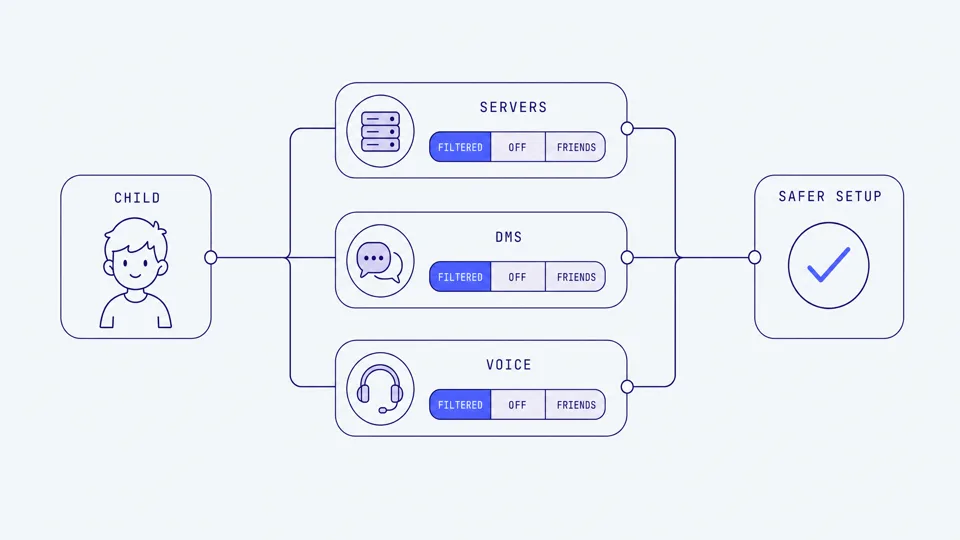
There are three communication paths, and they carry very different risk levels:
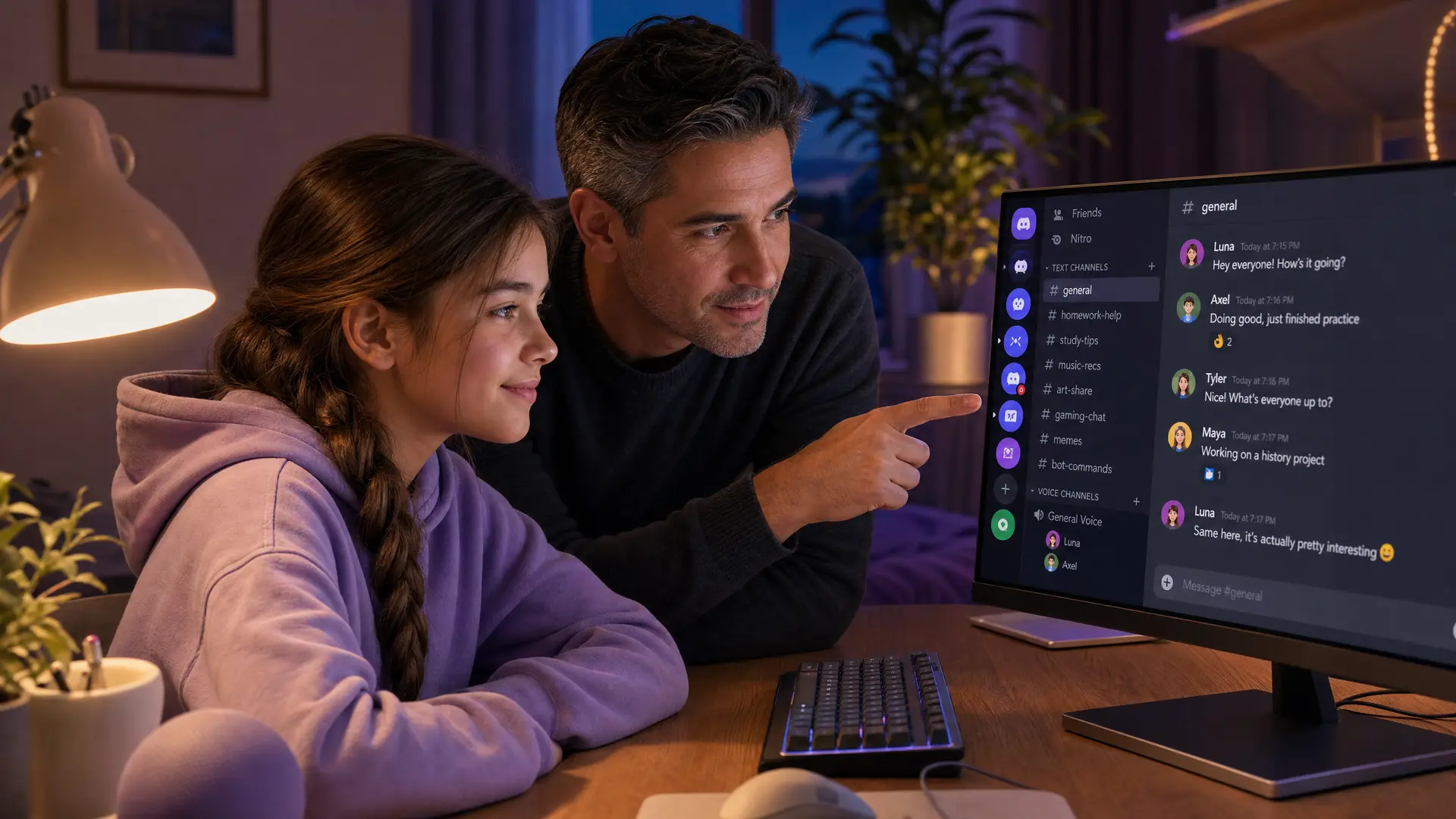
Servers. A server is a community with different channels for text, voice, and streaming. It can be a small group of school friends or a public community with tens of thousands of strangers. Anyone in a server can see your child's username and start talking to them.
Direct messages (DMs). One-on-one private chats, completely separate from any server. A moderator in a server cannot see DMs. This is where a conversation becomes private, and where most grooming moves once trust is built.
Voice and video calls. Children can drop into a server's voice channel or start a private call in a DM. Private voice calls are invisible to server moderators, and Discord does not record or transcribe them. Voice conversations leave no evidence for any tool to review.
Teen-by-default settings
In March 2026, Discord launched teen-by-default protections globally. Every account is now treated as a teen unless the user actively verifies they are 18 or older. For teen accounts: sensitive images and video are blurred by content filters, messages from non-friends go to a separate request inbox, friend requests from unknown users trigger warning prompts, and certain safety settings are locked on (Discord, March 2026).
These are real protections. They only help if Discord believes your child is 13 to 17. A child who entered a fake adult birthday has every one of them switched off.
The age rule and why it leaks
Discord's minimum age is 13 in the United States and most countries. Signup asks for a birth date with no upfront ID check, so a child can type any year and be through in seconds. Discord has begun a phased age assurance rollout using on-device facial age estimation (powered by Incode, replacing the earlier vendor Persona), Google Wallet, or credit card verification. A trial ran in June and July 2026. The full global rollout is expected in the second half of 2026, but no confirmed date has been set (Discord, "Getting Global Age Assurance Right," 2026).
Until age assurance is universal, the age gate remains a text box. Children know it.
The real risks with numbers
Discord reported 241,354 suspected child exploitation incidents to NCMEC's CyberTipline in 2024 (NCMEC, 2025). That number is down from 339,412 in 2023, partly reflecting improvements in detection and partly reflecting how reports are categorized. The volume is still substantial.
Across all platforms, NCMEC's CyberTipline received 21.3 million reports of suspected child sexual exploitation in 2025, with online enticement reports up 158 percent from the year before and more than 80,000 sextortion reports (NCMEC, 2026).
Thorn's 2024 study found that 19 percent of Discord's minor users reported an online sexual interaction on the platform, the highest rate among major gaming-adjacent platforms after Telegram (24 percent). For comparison: Instagram and Facebook were at 20 percent, Roblox at 9 percent, and Minecraft at 8 percent (Thorn, "Youth Perspectives on Online Safety," 2024).
The WeProtect Global Alliance's 2023 Global Threat Assessment found conversations with children on gaming platforms can escalate into high-risk grooming in as little as 19 seconds, with an average of about 45 minutes. Discord is where many of those conversations land after starting inside a game.
The game-to-Discord pipeline
This is the risk most parents miss. A predator meets a child inside a moderated game like Roblox or Fortnite, then says "add me on Discord" to continue somewhere with fewer eyes on the conversation. It is the exact handoff pattern documented in federal litigation and child safety research. If your child mentions that someone from a game asked them to move to Discord, treat it as a moment to slow down and ask questions, not as a routine next step. Our guide to what it means when someone asks your child to move to another app covers this pattern in detail.
For a broader look at whether the games themselves are safe, see our Roblox safety guide by age.
Twitch streamers use the same "add me on Discord" pull, so if your child watches streams, our Twitch safety guide covers that route.
What settings cannot show you
Discord's settings and Family Center restrict, filter, and summarize. None of them show you what was said. Here is what the available tools actually cover.
Disclosure: we make Halo. It is listed here because it is one of the few tools that covers Discord voice, and leaving it out would make this table incomplete. Its limits are listed honestly.
Tool | What it does on Discord | Platform | Limitation |
|---|---|---|---|
Discord teen defaults + Family Center | Filters sensitive images, routes stranger DMs to a request inbox, warns on unknown friend requests. Family Center shows servers, friends, and call minutes weekly. | All | Never shows message content or what was said in voice. Teen can unlink Family Center. Protections off if account age says 18+. |
Bark | Flags some typed text in Discord messages. | Android only | No voice on any platform. iOS coverage is block-only, not monitoring. Text is partial. |
BrightCanary | Keyboard-level text monitoring across apps including Discord. | iOS | No voice. Text only. US and Canada only. |
Halo | Sends you an alert when it detects grooming, bullying, or threats in Discord on a Mac or Windows PC. It monitors the voice chat. | Mac, Windows | No Android. Does not cover Discord on iOS. Not DMs. Their voice never leaves their device; only the words are analysed, then discarded, never stored. |
The honest summary: settings and Family Center do the structural work. They decide what your child can and cannot do and give you the shape of their activity. A gaming safety tool like Halo tells you when something goes wrong in the conversations those settings allow. Neither replaces the other, and neither replaces talking to your child.
If your child uses Discord primarily on a computer, the voice layer matters most there, because that is where serious Discord voice use happens. If they are on their phone, the voice blind spot is currently unfilled on mobile. For the full picture across platforms and games, see our voice chat safety guide.
What to say to your child about Discord
Ages 10 to 12 (before Discord)
"If someone from a game asks you to add them on Discord, tell me first. Not because you are in trouble, just so we can look together."
"Some of your friends might be on Discord already. That does not mean it is the right time for you. We will get there."
"Anyone can say they are a child online. If a new friend wants to talk just the two of you, that is worth pausing on."
Ages 13 to 14
"Are your Discord friends people from school, or did some of them come from a game?" The answer tells you where the risk sits.
"Voice calls are the one thing no one can see, including me. So I am relying on you to trust your gut and tell me if something feels wrong."
"If someone you met in a game asks to talk somewhere private, that is a pattern worth knowing about. Why would they want to leave the game?"
Ages 15 to 16
"If anyone ever pressures you for a photo or threatens you, come to me immediately. I will not be angry, and we will fix it together."
"When someone tries to get personal fast, or asks you to keep a friendship secret, that is a pattern. You are allowed to just stop replying."
"Anything weird happen on Discord lately?" Check in. Do not interrogate.
For more on how to tell when a child's online "friend" is not who they claim to be, see our guide to how to tell if a Discord friend is an adult. And if your child mentions that someone asked them to move a conversation to Snapchat or another app, our guide to whether parents can see Discord messages covers what is and is not visible.
Frequently asked questions
Is Discord safe for kids?
Discord is designed for users 13 and older. Children under 13 should not have an account. For teens 13 to 16, it can be made reasonably safe with Family Center linked, DMs locked to friends only, and honest conversations about voice and strangers. The biggest risks live in private DMs and voice calls that no parental control can see.
Should I let my 13 year old have Discord?
13 is the official minimum age. If you set up Family Center first, lock DMs to friends only, confirm the sensitive content filters are on, and review the friends list together, a 13-year-old can use Discord with reasonable safety. The main risk is private contact with people met in gaming servers, so the conversation about who they are talking to matters more than the settings.
Is Discord 13+ or 12+?
Discord's minimum age is 13 in the United States and most countries. There is no 12-plus option. A 12-year-old who creates an account is violating the terms of service, and if they entered a fake birthday, the teen safety protections may be switched off entirely because Discord thinks they are older.
Can I monitor my kid's Discord?
Family Center gives you a weekly summary of servers joined, friends added, and call minutes, but never shows message content or what was said in voice. Bark flags some typed text on Android. On a Mac or Windows PC, Halo monitors Discord voice chat and alerts you only when it detects grooming, bullying, or self-harm cues. No single tool covers every channel.
What is Discord Family Center?
Family Center is Discord's built-in parental tool. You link to your teen's account with a QR code, and you receive weekly activity summaries: servers joined, friends added, total call minutes, and who they interacted with most. It deliberately does not show message content or what was said in voice calls, so it is an activity overview, not a monitoring tool.
Which is safer for kids, Snapchat or Discord?
They carry different risks. Discord's biggest danger is the game-to-platform pipeline: a child meets someone in Roblox and hears "add me on Discord." Snapchat's is disappearing content and location sharing. Neither has effective parental visibility into conversations. For gaming families, Discord is the more likely entry point, and the one where the voice blind spot matters most.
Why do kids move from Roblox or Fortnite to Discord?
Discord is where gaming communities live, so the move often looks innocent. But it is also the exact pattern predators use: meet a child in a moderated game, then say "add me on Discord" to continue in a space with fewer eyes on it. If your child is asked to move a game friendship to Discord, treat it as a moment to slow down and ask questions.
Sources
[Discord] "Discord Launches Teen-by-Default Settings Globally." March 2026. discord.com/press-releases
[Discord] "Getting Global Age Assurance Right: What We Got Wrong and What's Changing." 2026. discord.com/blog
[Discord Support] "Family Center for Parents and Guardians." support.discord.com
[NCMEC] "The Work Never Stops: A First Look at NCMEC's 2025 Data." 2026. missingkids.org
[NCMEC] "2024 Reports by Electronic Service Providers." 2025. missingkids.org
[NCMEC] "Take It Down." takeitdown.ncmec.org
[Thorn] "Youth Perspectives on Online Safety." 2024 (published September 2025). thorn.org
[Thorn] "Online Grooming: How Adults Who Seek to Sexually Exploit Children Connect." 2022. thorn.org
[WeProtect Global Alliance] "Global Threat Assessment 2023." weprotect.org
[HSToday / NCMEC] "Surge in Online Crimes Against Children Driven by AI and Evolving Exploitation Tactics." 2025. hstoday.us
[CSE Institute] "Built for Connection, Vulnerable to Exploitation: The Case of Discord." 2026. cseinstitute.org
[BrightCanary] "Is Discord Safe for Kids? A Guide to Discord Parental Controls (2026)." brightcanary.io
This guide is updated as Discord changes its safety features. Last reviewed September 2026.